
Main book
لمحة سريعة
- IMPORTANT INFORMATION
- Introduction
- General description
- Charging
- Using the appliance
- Cleaning
This appliance can only be used without cord.
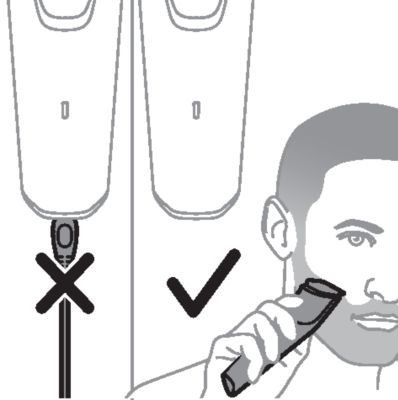
Because of hygiene, only one person should use the appliance.
Switch off the appliance before removing or attaching attachments and before cleaning.
Clean the appliance after each use.
Never use compressed air, scouring pads, abrasive cleaning agents or aggressive liquids such as gasoline or acetone to clean the appliance.
Caution: Never dry the trimmer teeth with a towel or tissue, as this may damage the trimmer teeth.
Congratulations on your purchase and welcome to Philips! To fully benefit from the support that Philips offers, register your product at www.philips.com/welcome.
You can find the model number on the back of your product.
The full model number (e.g. BT1234/56) is located on the bottom of the packaging, your receipt or order confirmation.
Cutting element
Hair length setting wheel
On/off button
Battery status indicator
Socket for small plug
Trimming comb
Cleaning brush
Pouch
USB cable
Note: A suitable power source (e.g. Philips HQ87) is available via www.philips.com/support.
Small plug

Caution
Charging or using the appliance at temperatures below 5 °C or higher than 35 °C adversely affects the lifespan of the battery.
If the appliance is subjected to a major change in temperature, pressure or humidity, let the appliance acclimatize for 30 minutes before use.
Charge the appliance before first use and when the battery status indicator shows that the battery is almost empty. When the appliance has charged for 60 minutes, it has a cordless operating time of up to 90 minutes.
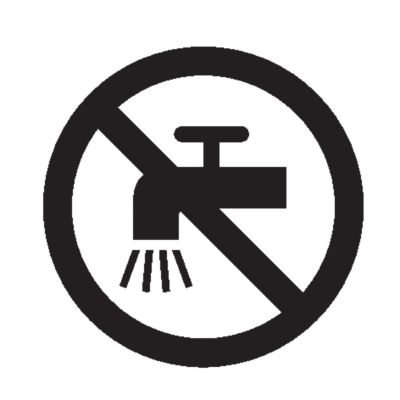
Warning: Keep the product, the USB cable and the USB power source dry
Make sure that the product is switched off.
Insert the small plug of the USB cable into the socket in the bottom of the product.
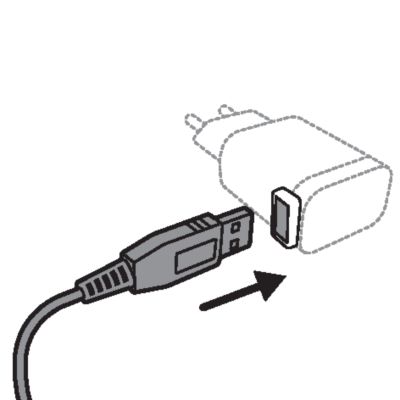
Insert the USB plug into the USB power source (not included).
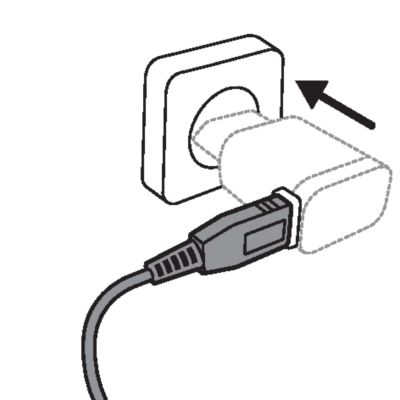
Insert the USB power source into the power outlet.
After charging, remove the USB power source from the power outlet and pull the small plug out of the product.

Battery status indicator
Battery status | Indicator mode |
|---|---|
Almost empty | Flashing orange light |
Charging | Flashing white light |
Fully charged | Solid white light |
Note: Approx. 30 minutes after the battery is fully charged, the battery status indicator switches off automatically.
Quick charge
After approx. 5 minutes of charging, the appliance contains enough power for one trimming session.
Optimizing the lifetime of the rechargeable battery
When you have charged the appliance for the first time, we advise you to use it until the battery is completely empty. Continue to use the appliance until the motor almost stops running during a session. Then recharge the battery. Follow this procedure at least twice a year.
Detaching and attaching cutting elements
To detach the cutting element, place your thumb near the teeth of the cutting element and push gently upwards until the cutting element is released from the handle.
To attach the cutting element, insert the plastic notch at the back of the cutting element into the guiding slot in the handle and gently press the teeth of the cutting element downwards until the cutting element clicks into place.
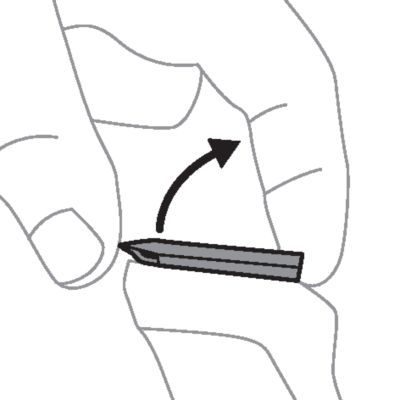
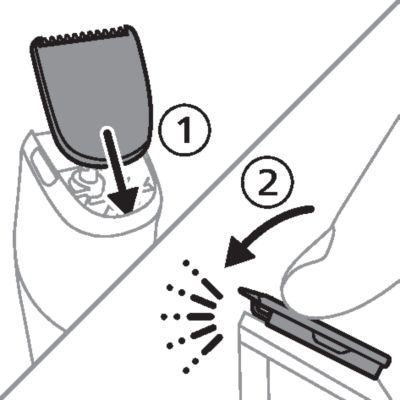
Detaching and attaching cutting elements
To attach the trimming comb onto the appliance, slide the trimming comb straight into the guiding grooves of the appliance until the comb clicks into place.
To detach the trimming comb from the appliance, hold the comb on both sides and gently pull it off the appliance.
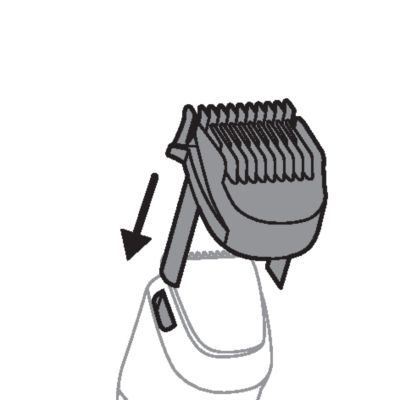
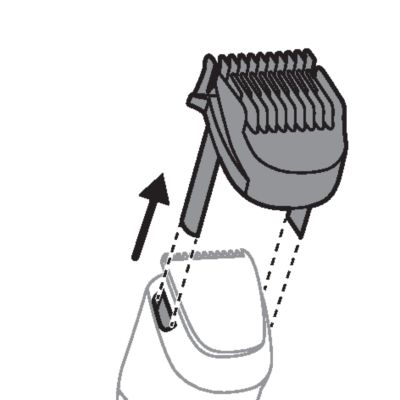
Switching the appliance on and off
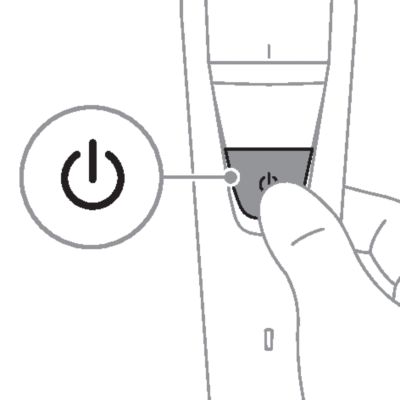
To switch the appliance on or off, press the on/off button once.
Trimming tips
Tip
Always comb your beard or moustache with a fine comb before you start trimming.
When trimming for the first time, start by using the comb with the maximum trimming length setting to familiarize yourself with the appliance.
Since hairs do not all grow in the same direction, you may want to try different trimming positions (i.e. upwards, downwards, or across). Practice is best for optimum results.
Always make smooth and gentle movements and be sure the surface of the comb always stays in contact with your skin.
When too many hairs have accumulated on the appliance, remove the hairs before and/or during use, for best trimming results.
Trimming with comb
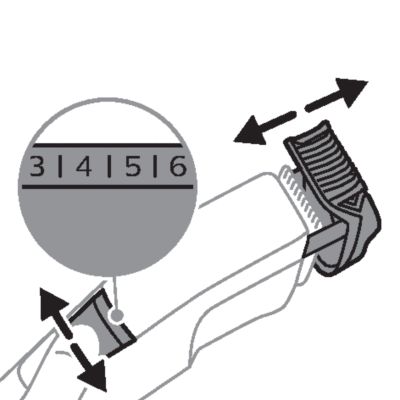
Use the trimming comb attached to the cutting element to trim your beard and mustache in your preferred style. Turn the hair length setting wheel to choose from 20 length settings ranging from 0.5 mm to 10 mm.
Attach the trimming comb to the appliance.
Turn the hair length setting wheel to select the desired hair length setting. The settings on the wheel correspond to the remaining hair length after trimming. The selected hair length setting in millimeters is shown in the center of the wheel.
Switch the appliance on.
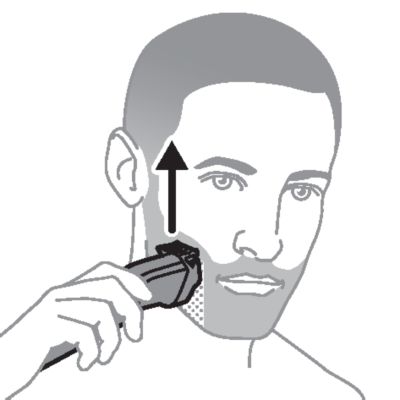
To trim in the most effective way, move the comb against the direction of hair growth. Make sure that the surface of the comb always stays in contact with the skin.
Shake off cut hair from the comb every few strokes. If a lot of hair has accumulated in the comb, switch off the appliance, remove the comb and blow and/or shake off the hairs. The selected hair length setting does not change when the comb is removed.
Switch off and clean the appliance after each use.
Trimming for stubble look

Attach the trimming comb to the appliance and use the 1 mm setting to create a 'stubble look' trim.
Trimming without comb
Use the trimmer without the trimming comb to trim hair close to the skin (to a length of approx. 0.5 mm) or to trim edges and single hairs.
Detach the trimming comb from the appliance.
Switch the appliance on.
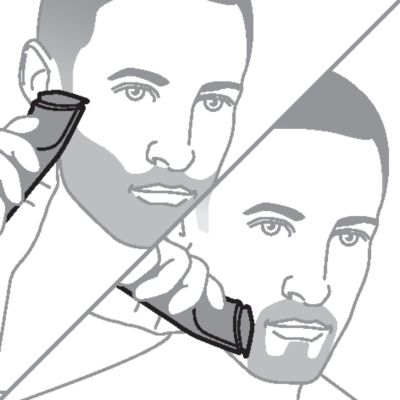
To trim hair close to the skin, place the flat side of the cutting element against your skin and make strokes against the direction of hair growth.
For contouring, hold the cutting element perpendicular to the skin. Make well-controlled movements. Touch the hair lightly with the trimmer.
Switch off and clean the appliance after each use.
Make sure that the appliance is switched off and that the USB power source has been removed from the power outlet and from the appliance.
Wipe the handle with a dry cloth.
Cleaning with brush
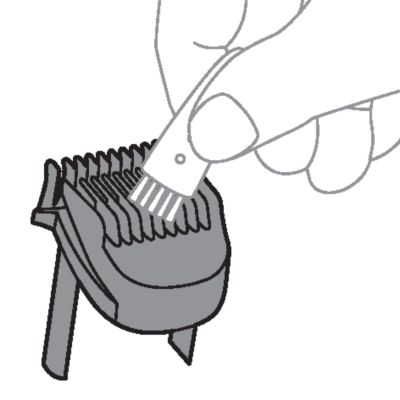
Detach the trimming comb from the appliance and clean it with the cleaning brush.
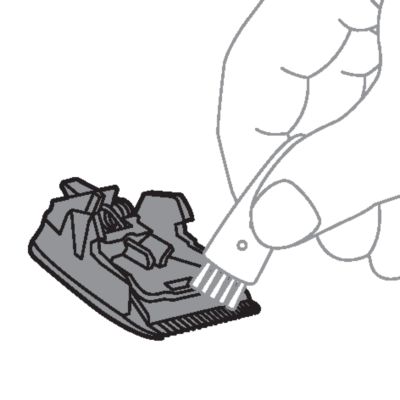
Detach the cutting element from the appliance. Clean the cutting teeth and the inside of the cutting element with the cleaning brush.
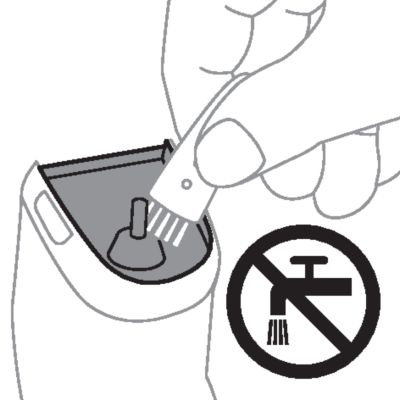
Clean the inside of the hair chamber with the cleaning brush.
Cleaning attachments under the tap
Only use cold or lukewarm water to clean the cutting element or trimming comb.
Detach the trimming comb from the appliance and rinse the comb under the tap.
Detach the cutting element from the appliance and rinse the cutting element under the tap.
Carefully shake off excess water and let both parts air-dry completely before reattaching them to the appliance.
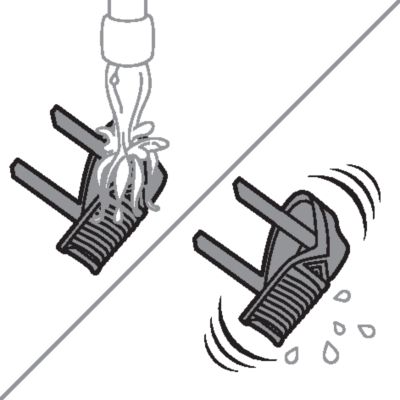
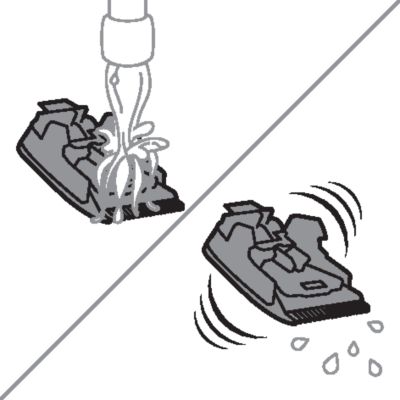

Storage
Note: Do not place or store the appliance where it can fall or be pulled into a tub or sink, water or other liquid while plugged in.
Make sure that the appliance is switched off and that the USB power source has been removed from the power outlet and from the appliance.
Do not wrap the USB cable around the appliance when storing.
Store the appliance, the USB power source and all the accessories in the pouch supplied. Attach a comb to the cutting element to protect the teeth during storage.
Place the pouch in a safe, dry location, where it will not be crushed, banged, or subject to damage.
Make sure that the appliance and the accessories are dry before you place them in the pouch.
Ordering accessories
To buy accessories or spare parts, visit www.philips.com/parts-and-accessories or go to your Philips dealer. You can also contact the Philips Consumer Care Center in your country (see the international warranty leaflet for contact details).
Disposal
This product contains a rechargeable lithium-ion battery which must be disposed of properly.
Contact your local town or city officials for battery disposal information. You can also call 1-888-224-9764 or visit www.call2recycle.ca for battery drop-off locations.
For assistance, visit our website www.philips.com/support or call 1-866-800-9311 toll free.
Your product is designed and manufactured with high quality materials and components, which can be recycled and reused. For recycling information, please contact your local waste management facilities or visit: www.recycle.philips.com.
Support
For all product support, power consumption details and the EU Declaration of Conformity, please visit www.philips.com/support.
Full Two-Year Warranty
Philips Electronics Ltd (Canada) warrants this new product against defects in materials or workmanship for a period of two years from the date of purchase, and agrees to repair or replace any defective product without charge.
IMPORTANT: This warranty does not cover damage resulting from accident, misuse or abuse, lack of reasonable care, the affixing of any attachment not provided with the product or loss of parts or subjecting the product to any but the specified voltage.*
NO RESPONSIBILITY IS ASSUMED FOR ANY SPECIAL, INCIDENTAL OR CONSEQUENTIAL DAMAGES.
Cutting units and combs are not covered by the terms of this warranty because they are subject to wear and tear.
In order to obtain warranty service, simply go to www.philips.com/support for assistance. It is suggested that for your protection you return shipments of product by insured mail, insurance prepaid. Damage occurring during shipment is not covered by this warranty. NOTE: No other warranty, written or oral, is authorized by Philips Electronics Ltd. This warranty gives you specific legal rights, and you may also have other rights which vary from state to state, province to province or country to country. Some states do not allow the exclusion or limitation of incidental or consequential damages, so the above exclusion and limitations may not apply to you.
*Read enclosed instructions carefully.
الدعم من Philips
هل منتجك لا يعمل كما ينبغي؟
الدعم من Philips
هل تريد معرفة المزيد عن منتجك؟